
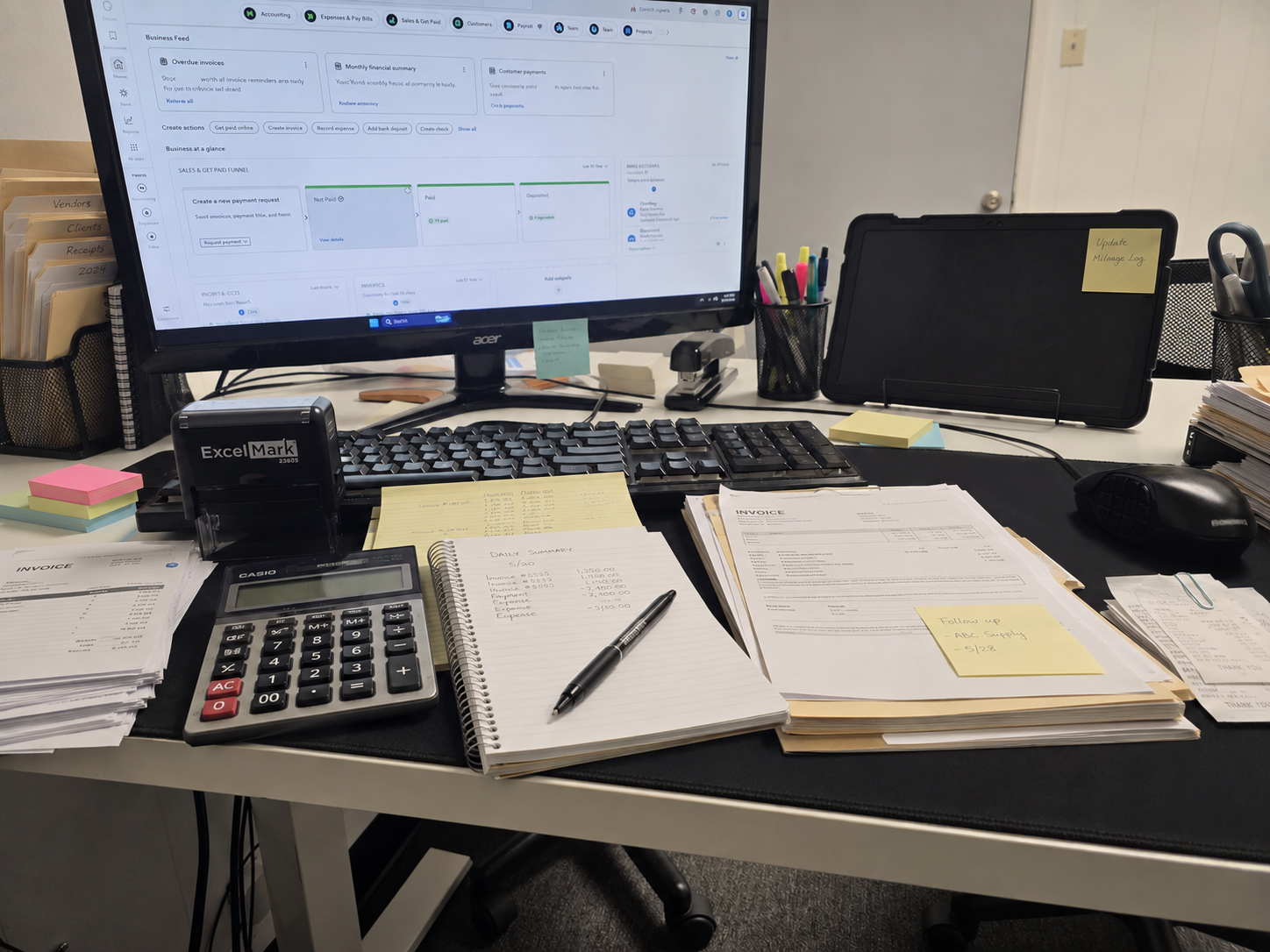
QuickBooks Cleanup Services in Mesquite, TX: What to Do When Your Books Are Behind
Running a small business takes time, energy, and constant decision-making. Between serving customers, managing employees, paying contractors, ordering supplies, handling invoices, and trying to grow, bookkeeping can easily fall behind.
For many business owners in Mesquite, Dallas, Garland, Balch Springs, Sunnyvale, and surrounding areas, QuickBooks starts out as a helpful tool, but over time, the records can become messy, confusing, or incomplete.
Maybe your bank accounts are not reconciled. Maybe your expenses are uncategorized. Maybe contractor payments were made through Zelle, Cash App, checks, or cash and were never properly recorded. Maybe your profit and loss report does not look right. Or maybe tax season is getting close, and you are not sure whether your books are ready.
That is where QuickBooks cleanup services and catch-up bookkeeping can help.
At Ortiz Vega Tax and Insurance, we help small business owners organize their books, clean up QuickBooks, prepare tax-ready reports, and gain a clearer picture of their business finances. We serve clients in person and online, and we provide support in English and Spanish.
What Is QuickBooks Cleanup?
QuickBooks cleanup is the process of reviewing, correcting, organizing, and updating your bookkeeping records inside QuickBooks.
The goal is simple: to make your books more accurate, complete, and useful.
When QuickBooks is not properly maintained, your financial reports may show incorrect income, incorrect expenses, wrong bank balances, duplicate transactions, missing contractor payments, or inaccurate profit numbers. A cleanup helps fix those issues so your business records make more sense.
QuickBooks cleanup may include:
- Reviewing bank and credit card transactions
- Categorizing uncategorized expenses
- Fixing duplicate transactions
- Reconciling bank accounts
- Correcting chart of accounts issues
- Reviewing income and deposits
- Separating personal and business expenses
- Organizing contractor payments
- Reviewing payroll-related entries
- Checking sales tax records
- Fixing incorrect loan, asset, or owner draw entries
- Preparing clean financial reports for taxes or business decisions
QuickBooks cleanup is especially important before tax season, before applying for a loan, before hiring a bookkeeper, or anytime your business records feel disorganized.
For ongoing help after cleanup, our bookkeeping services in Mesquite, TX can help small business owners stay organized every month.
What Is Catch-Up Bookkeeping?
Catch-up bookkeeping is for businesses that are behind on their books.
For example, your business may need catch-up bookkeeping if:
- You have not updated QuickBooks in several months
- You are missing an entire year of bookkeeping
- Your bank feeds are connected, but transactions were never reviewed
- You only entered income but not expenses
- You have receipts, statements, and payment records scattered everywhere
- You need prior-year books cleaned up before filing taxes
- You started using QuickBooks but never fully set it up
- You switched from another system and your records are incomplete
QuickBooks cleanup and catch-up bookkeeping often go together. Catch-up bookkeeping brings your records up to date. Cleanup makes sure the information is accurate and organized.
For small business owners, this can make a major difference. Clean books can help you understand your profit, prepare for taxes, reduce stress, and avoid making business decisions based on incorrect numbers.
Signs Your QuickBooks File Needs Cleanup
Many business owners know their books are not perfect, but they are not sure how serious the problem is. Below are common signs that your QuickBooks file may need cleanup.
1. Your Bank Accounts Are Not Reconciled
Bank reconciliation means comparing the transactions in QuickBooks to your actual bank statements.
If your QuickBooks balance does not match your bank statement, something may be missing, duplicated, entered incorrectly, or categorized the wrong way.
Unreconciled accounts are one of the most common signs that the books need cleanup.
2. You Have Too Many Uncategorized Transactions
QuickBooks may import transactions from your bank feed, but that does not mean the books are complete. Transactions still need to be reviewed and categorized correctly.
If you have many transactions sitting under categories like:
- Uncategorized Expense
- Uncategorized Income
- Ask My Accountant
- Miscellaneous Expense
- Other Business Expense
then your profit and loss report may not be accurate.
3. Your Profit and Loss Report Does Not Look Right
Your profit and loss report should help you understand how much money your business made, how much it spent, and whether the business was profitable.
If your report shows numbers that do not make sense, such as unusually high income, missing expenses, negative balances, or categories that look wrong, your books may need review.
4. Personal and Business Expenses Are Mixed Together
Many small business owners accidentally use the same card or bank account for both personal and business expenses.
This creates confusion during bookkeeping and tax preparation. Personal transactions may need to be separated from legitimate business expenses to avoid inaccurate reporting.
5. Contractor Payments Are Missing or Disorganized
If you pay contractors through Zelle, Cash App, checks, direct deposit, or cash, those payments should be tracked properly.
This is especially important if you may need to issue 1099 forms. Missing contractor records can create problems during tax season.
6. Your Credit Card Balances Are Wrong
If your QuickBooks credit card balance does not match your actual credit card statement, the issue could be caused by duplicate entries, missing payments, incorrect transfers, or unreconciled transactions.
Wrong credit card balances can affect your expenses, liabilities, and financial reports.
7. Loan Payments Were Entered Incorrectly
Loan payments can be tricky because part of the payment may reduce the loan balance, while another part may be interest expense.
If the entire loan payment is recorded as an expense, your books may not accurately show your debt or your true business expenses.
8. Sales Tax Records Are Confusing
If your business collects sales tax, your records should clearly separate sales income from sales tax collected.
If sales tax is mixed into income or not tracked properly, your reports may be inaccurate and difficult to review.
9. Payroll Entries Do Not Match Payroll Reports
Payroll can affect wages, payroll taxes, benefits, liabilities, and expenses. If payroll transactions are not recorded properly, your books may show incorrect labor costs or tax liabilities.
10. You Are Behind and Tax Season Is Close
If tax season is approaching and your books are months behind, it is better to address the issue early. Waiting until the last minute can increase stress, limit planning options, and make tax preparation more difficult.
Why Messy Books Can Hurt Your Business
Messy bookkeeping is more than an organization problem. It can affect your taxes, cash flow, business decisions, and peace of mind.
Messy Books Can Lead to Missed Deductions
If expenses are missing, uncategorized, or not properly documented, you may overlook deductions that could reduce taxable income.
Common business expenses that are often missed include:
- Supplies
- Repairs and maintenance
- Advertising
- Software subscriptions
- Business insurance
- Contract labor
- Mileage
- Equipment
- Merchant fees
- Professional services
- Phone and internet expenses
- Office expenses
A cleanup can help identify and organize these expenses.
Messy Books Can Make Tax Preparation More Expensive
When books are incomplete, tax preparation can take longer. Your tax preparer may need to sort through statements, receipts, contractor payments, missing records, and confusing reports before a return can be prepared.
Clean bookkeeping helps make the tax preparation process smoother.
Messy Books Can Make Profit Hard to Understand
Many business owners look at their bank account and assume they know whether the business is profitable. But bank balance and profit are not the same thing.
Your bank account does not always show:
- Outstanding bills
- Loan payments
- Credit card balances
- Payroll obligations
- Sales tax owed
- Owner draws
- Unpaid invoices
- Upcoming expenses
Clean books give a more accurate picture of profitability.
Messy Books Can Cause 1099 Problems
If you pay contractors, subcontractors, or service providers, you need organized records. Waiting until January to figure out who was paid, how much they were paid, and whether they need a 1099 can create unnecessary stress.
Contractor payment tracking should be part of your bookkeeping system throughout the year.
Messy Books Can Hurt Loan or Financing Applications
Banks and lenders may ask for financial reports, profit and loss statements, balance sheets, bank statements, or tax returns.
If your books are not accurate, it may be harder to provide the information needed for financing.
Messy Books Can Make Growth Harder
You cannot confidently grow your business if you do not understand your numbers.
Clean bookkeeping can help answer important questions:
- Which services are most profitable?
- Are expenses increasing too quickly?
- Can the business afford a new employee?
- Is cash flow strong enough?
- Are prices too low?
- Are there unnecessary expenses?
- Is the business ready to expand?
Good bookkeeping helps business owners make better decisions.
Messy books can also lead to avoidable filing problems, which is why we recommend reviewing the common tax mistakes small business owners make in Mesquite, TX before tax season.
Common QuickBooks Cleanup Problems We See With Small Businesses
Every business is different, but many small businesses face similar bookkeeping issues. Below are common problems that QuickBooks cleanup can help fix.
Duplicate Bank Feed Transactions
Sometimes transactions are entered manually and also imported from the bank feed. This can cause income or expenses to be counted twice.
Duplicate transactions can make your reports look better or worse than they actually are.
Owner Draws Categorized as Expenses
Money taken out by the owner is not always a business expense. If owner draws are categorized incorrectly, your profit and loss report may be wrong.
This is a common cleanup issue for sole proprietors, LLC owners, and small business owners who use business funds for personal purposes.
Transfers Recorded as Income or Expenses
Moving money between business accounts, credit cards, savings accounts, or payment platforms should usually be recorded as transfers, not income or expenses.
If transfers are categorized incorrectly, income or expenses may be overstated.
Contractor Payments Not Tracked Properly
Contractor payments should be organized by vendor or contractor whenever possible. If payments are scattered across multiple categories or missing vendor names, 1099 preparation becomes harder.
Cash Payments Not Recorded
Some businesses receive or make cash payments. If cash transactions are not recorded, income or expenses may be incomplete.
Merchant Deposits Not Matched to Sales
Businesses that use payment processors may receive deposits after fees are deducted. If those deposits are not handled properly, income and merchant fees may be inaccurate.
Equipment Purchases Categorized Incorrectly
Large equipment purchases may need to be reviewed carefully. Some purchases may not be treated the same as regular office supplies or small expenses.
A bookkeeper can help organize the transaction properly so your tax preparer has better information.
Sales Tax Mixed With Income
If sales tax collected from customers is recorded as income, your revenue may appear higher than it actually is. Sales tax should be tracked carefully so you know what belongs to the business and what may be owed.
Too Many Random Categories
A messy chart of accounts can make reports hard to read. For example, the same type of expense may be spread across multiple categories like:
- Supplies
- Office Supplies
- Business Supplies
- Miscellaneous
- Other Expenses
Cleanup can help simplify and organize the chart of accounts.
QuickBooks Cleanup Checklist for Mesquite Small Business Owners
If your books are behind, here is a practical checklist to help you understand what may be needed.
1. Gather Bank Statements
Collect monthly bank statements for every business account. This includes checking, savings, and any other accounts used for business activity.
2. Gather Credit Card Statements
Collect statements for all business credit cards. If personal credit cards were used for business expenses, those records may need to be reviewed carefully.
3. Gather Loan Statements
If your business has loans, equipment financing, vehicle loans, or lines of credit, gather those statements too.
4. Review Income Sources
Identify all ways your business receives money, such as:
- Cash
- Checks
- Zelle
- Cash App
- Venmo
- Credit card payments
- ACH transfers
- Online invoices
- Payment processors
- Marketplace platforms
All income sources should be reviewed so deposits are properly recorded.
5. Review Contractor Payments
Gather records for subcontractors, freelancers, and service providers. This may include:
- W-9 forms
- Payment records
- Zelle records
- Check copies
- Bank transfers
- Invoices
- Cash payment logs
This helps with 1099 organization.
6. Separate Personal and Business Expenses
If personal transactions appear in the business account, they should be identified and categorized properly.
If business expenses were paid from a personal account, those may also need to be documented.
7. Review Bank Feed Transactions
Imported transactions should be reviewed one by one. Do not assume QuickBooks automatically categorized everything correctly.
8. Reconcile Accounts
Each bank and credit card account should be reconciled to the actual statement balance.
Reconciliation helps catch missing, duplicate, or incorrect transactions.
9. Review the Chart of Accounts
The chart of accounts should be organized in a way that makes sense for your business and tax preparation needs.
Too many categories can create confusion. Too few categories can hide important details.
10. Review Payroll Records
If you have employees, payroll records should be reviewed to make sure wages, payroll taxes, and related expenses are recorded properly.
11. Review Sales Tax Records
If your business collects sales tax, review sales tax payable, taxable sales, and sales tax payments.
12. Prepare Clean Financial Reports
After cleanup, your business should be able to produce cleaner reports, such as:
- Profit and loss statement
- Balance sheet
- General ledger
- Transaction detail report
- Contractor payment summary
- Sales tax summary, if applicable
These reports help with tax preparation, planning, and better business decisions.
QuickBooks Cleanup Before Tax Season
One of the best times to clean up your books is before tax season.
If your books are clean before tax preparation begins, our business tax preparation in Mesquite, TX service can work with better records, cleaner reports, and more organized expense information.
Tax season becomes harder when business owners wait until the last minute and then try to organize an entire year of transactions at once.
Before filing business taxes, you should have:
- Reconciled bank accounts
- Reconciled credit cards
- Organized income
- Categorized expenses
- Contractor payment records
- Payroll reports, if applicable
- Sales tax records, if applicable
- Mileage records, if applicable
- Asset and equipment purchase records
- Loan information
- Clean profit and loss report
- Clean balance sheet, if needed
A QuickBooks cleanup can help prepare your books so your tax preparer has better information to work with.
For a full list of records to gather before filing, read our small business tax preparation checklist for Mesquite, TX business owners.
Suggested internal link:
For more tax preparation guidance, read our small business tax preparation checklist for Mesquite, TX business owners.
Should You Clean Up QuickBooks Yourself or Hire a Bookkeeper?
Some business owners can handle basic cleanup themselves, especially if the business has low transaction volume and only a few months of activity.
However, hiring a bookkeeper may be the better choice if:
- You are behind by several months or more
- You have multiple bank or credit card accounts
- You pay contractors
- You have employees or payroll
- You collect sales tax
- You have loans or equipment purchases
- You use Zelle, Cash App, merchant processors, or multiple payment methods
- Your reports do not make sense
- You are preparing for tax season
- You are too busy to handle the cleanup correctly
- You want ongoing monthly bookkeeping after cleanup
Not sure whether it is time to get professional help? Read our guide on whether you need a bookkeeper for your small business in Mesquite, TX.
Bookkeeping cleanup can be time-consuming, especially if there are many transactions or multiple years involved. A professional bookkeeper can help organize the records and identify issues that may not be obvious at first.
How QuickBooks Cleanup Helps Different Types of Businesses
QuickBooks cleanup can help many types of small businesses in Mesquite and the Dallas area.
Contractors and Construction Businesses
Contractors often deal with materials, subcontractors, tools, equipment, mileage, job deposits, and project expenses. Cleanup can help organize job-related costs and contractor payments.
Restaurants and Food Businesses
Restaurants may have inventory, payroll, sales tax, merchant fees, delivery app income, cash deposits, and vendor payments. Clean bookkeeping helps owners understand food costs, labor costs, and profitability.
Cleaning Businesses
Cleaning businesses may have supplies, subcontractors, employee payroll, mileage, recurring clients, and equipment expenses. Cleanup can help organize income and recurring operating costs.
Trucking and Delivery Businesses
Trucking and delivery businesses may need to track fuel, repairs, insurance, equipment, mileage, permits, and contractor payments.
Beauty, Barber, and Salon Businesses
Salon and beauty businesses may have booth rent, product sales, supply costs, appointment software deposits, contractor payments, and sales tax issues.
Retail and Online Sellers
Retail and e-commerce businesses may have inventory, sales tax, merchant fees, shipping, returns, marketplace deposits, and cost of goods sold.
Professional Service Businesses
Consultants, agencies, tax preparers, notaries, insurance professionals, and other service-based businesses need organized income, software expenses, office costs, contractor payments, and professional fees.
No matter the industry, clean books help business owners understand where the money is going.
What Happens During a QuickBooks Cleanup?
The exact cleanup process depends on the condition of your books, but most cleanups follow a similar structure.
Step 1: Review the Current QuickBooks File
The first step is reviewing the current condition of the QuickBooks account. This may include checking bank feeds, account balances, categories, reports, and reconciliation history.
Step 2: Identify Missing Information
The cleanup may require missing bank statements, credit card statements, receipts, loan documents, payroll reports, contractor records, or sales tax reports.
Step 3: Clean Up Transactions
Transactions are reviewed, categorized, matched, corrected, or removed if duplicated.
Step 4: Reconcile Accounts
Bank and credit card accounts are reconciled against monthly statements.
Step 5: Review Income and Expenses
Income and expenses are reviewed for accuracy. This helps reduce the chance of missing income, duplicate income, missing expenses, or incorrect categories.
Step 6: Review Contractors and 1099-Related Payments
Contractor payments are reviewed so the business has better records for year-end reporting.
Step 7: Review Reports
After cleanup, financial reports are reviewed for reasonableness. If something looks unusual, it may need further review.
Step 8: Prepare for Ongoing Bookkeeping
Once the cleanup is complete, it is usually best to stay current with monthly bookkeeping. This helps avoid the same problem from happening again.
How Often Should You Review Your QuickBooks?
For most small businesses, bookkeeping should be reviewed at least monthly.
Monthly bookkeeping helps you:
- Catch errors early
- Keep expenses organized
- Monitor profit
- Track cash flow
- Prepare for taxes
- Stay ready for 1099s
- Avoid year-end stress
- Make better business decisions
Waiting until the end of the year can make cleanup more difficult, especially if you have missing receipts, unclear contractor payments, or old transactions you no longer remember.
QuickBooks Cleanup vs. Monthly Bookkeeping
QuickBooks cleanup and monthly bookkeeping are related, but they are not the same.
QuickBooks Cleanup
Cleanup fixes past bookkeeping problems. It is usually a one-time or project-based service.
Examples:
- Cleaning up last year’s books
- Fixing duplicate transactions
- Reconciling old bank statements
- Correcting expense categories
- Organizing contractor payments
- Preparing books for tax filing
Monthly Bookkeeping
Monthly bookkeeping keeps your records updated going forward.
Examples:
- Monthly transaction review
- Bank reconciliation
- Credit card reconciliation
- Monthly profit and loss report
- Contractor tracking
- Payroll record organization
- Sales tax tracking
- Ongoing financial organization
Many businesses need cleanup first, then monthly bookkeeping after the books are organized.
How Much Does QuickBooks Cleanup Cost?
The cost of QuickBooks cleanup depends on the condition of the books and the amount of work required.
Factors that can affect the price include:
- Number of months or years behind
- Number of bank accounts
- Number of credit cards
- Monthly transaction volume
- Number of contractors
- Payroll activity
- Sales tax activity
- Loan or equipment transactions
- Missing records
- Duplicate transactions
- Whether prior reconciliations were done correctly
- Whether reports need to be prepared for tax filing
A small cleanup with only a few months of transactions may cost less than a full year or multi-year cleanup with several accounts, payroll, contractors, and sales tax issues.
The best approach is to review the books first, identify the condition of the file, and then provide a clear estimate.
How Ortiz Vega Tax and Insurance Can Help
At Ortiz Vega Tax and Insurance, we help small business owners get organized and stay prepared.
Our bookkeeping support may include:
- QuickBooks cleanup
- Catch-up bookkeeping
- Monthly bookkeeping
- Bank reconciliation
- Credit card reconciliation
- Expense categorization
- Contractor payment organization
- 1099 record support
- Payroll record organization
- Sales tax tracking support
- Tax-ready financial reports
- Small business tax preparation support
We work with business owners in Mesquite, Dallas, Garland, Balch Springs, Sunnyvale, and surrounding areas. Services may be completed in person or online.
We also provide bilingual support.
Hablamos Español.
QuickBooks Cleanup FAQs
How do I know if my QuickBooks needs cleanup?
Your QuickBooks may need cleanup if your bank balances do not match, your expenses are uncategorized, your reports look wrong, your accounts are not reconciled, or you are behind on bookkeeping.
Can QuickBooks cleanup be done online?
Yes. Many QuickBooks cleanup projects can be handled online as long as the necessary records are available. Some clients prefer in-person support, while others prefer online service.
How long does QuickBooks cleanup take?
It depends on how far behind the books are and how many transactions need to be reviewed. A small cleanup may take less time, while a full-year or multi-year cleanup may require more work.
Can you clean up books from last year?
Yes. Prior-year books can often be cleaned up, especially when bank statements, credit card statements, and other records are available.
Can you help if I paid contractors through Zelle or Cash App?
Yes. Contractor payments made through Zelle, Cash App, checks, bank transfers, or other methods can be reviewed and organized. This is especially helpful before preparing 1099 records.
Do I need QuickBooks cleanup before filing taxes?
If your books are incomplete, messy, or inaccurate, cleanup before tax preparation is strongly recommended. Clean books can help your tax preparer work with better information.
What if I mixed personal and business expenses?
This is common for small business owners. The transactions can be reviewed and separated so your business records are more accurate.
Can you help if I do not use QuickBooks yet?
Yes. If your records are currently in bank statements, spreadsheets, receipts, or another system, bookkeeping setup and catch-up support may still be available.
Is QuickBooks cleanup only for businesses with employees?
No. QuickBooks cleanup can help sole proprietors, LLCs, contractors, self-employed individuals, and businesses with or without employees.
What happens after my QuickBooks is cleaned up?
After cleanup, you can continue with monthly bookkeeping to keep your records current and avoid falling behind again.
Get Help With QuickBooks Cleanup in Mesquite, TX
If your QuickBooks is behind, messy, or confusing, you do not have to figure it out alone.
Clean books can help you prepare for taxes, understand your profit, organize contractor payments, track expenses, and make better business decisions.
Ortiz Vega Tax and Insurance provides bookkeeping and QuickBooks cleanup support for small business owners in Mesquite, Dallas, and surrounding areas.
Whether you are behind by a few months or need help organizing a full year of business activity, we can help you review the situation and create a plan to get your books back on track.
Ready to get your books organized? Schedule a bookkeeping consultation with Ortiz Vega Tax and Insurance today.